Install Minimal
Linux
Requirements
- x86_64 or aarch64 architecture
- Kernel support for user namespaces (most modern distributions)
Install
curl --proto "=https" --tlsv1.2 -fsSL https://go.minimal.dev/install.sh | shVerify
minimal --versionIf installed correctly, it will provide you with the version.
macOS
Minimal on macOS runs inside a lightweight VM using Apple’s Containerization framework, which can be found on their GitHub.
Requirements
- macOS Tahoe 26.2 or later
- Apple Silicon (M1, M2, M3, M4). Intel Macs are not supported
- The Apple
containerCLI v1.0 or later (see below)
Install
Step 1: Install the Apple container CLI
If it isn’t already on your machine, download the signed installer package from the latest release on GitHub:
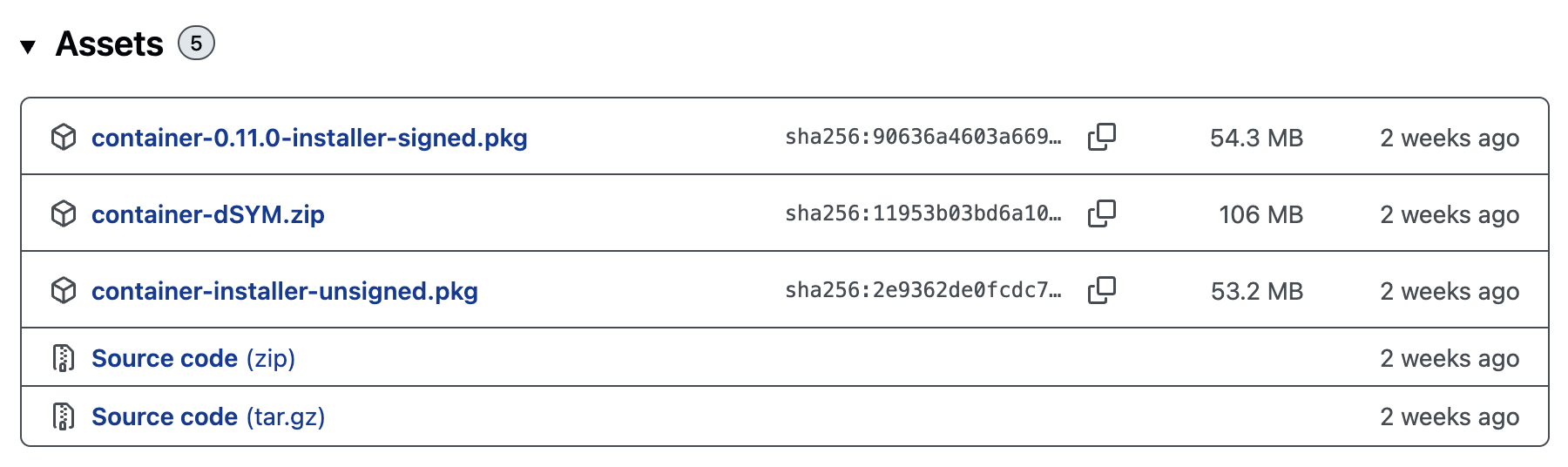
Download container-<version>-installer-signed.pkg and run the installer. Verify it’s working:
container --versionNote:
If you already have Apple container installed prior to the 1.0 release, you will need to uninstall the older release, especially if installed via Homebrew. Then install v1.0 or later following the instruction provided above for Apple container.
Step 2: Install Minimal
Copy and paste the following into your terminal:
curl --proto "=https" --tlsv1.2 -fsSL https://go.minimal.dev/install.sh | shVerify
minimal --versionIf installed correctly, it will provide you with the version.